
Presentation Pilot
Present from your hand. And your wrist.
Your notes, the next slide and the clock on your phone. A laser pointer you aim by pointing. The next slide with a tap on your Apple Watch, and a tap on your wrist when time runs short.


Your notes. The next slide. The clock.
Presenter notes, a preview of the next slide, the slide number and the time left, in type you can read at a glance. Two big pedals for previous and next, so your thumb finds them without looking.
- Keynote and PowerPoint: notes and previews
- Google Slides in the browser and PDFs too

Next slide, from your wrist.
Tap Next on your Apple Watch, or just Double Tap your fingers. The slide and the time left are on your wrist; at five minutes, one minute and time’s up, it taps you. Nobody sees you check.
- 5 minutes left
- 1 minute left
- Time’s up
- Every minute over

A laser pointer, in any app.
Hold the laser key and point the phone at the screen. The Mac draws the dot itself, so it shows in your slides, in a browser, in a live demo, on the projector and on the video call.
- Recenter with a tap
- Black screen with one key

On the Lock Screen, even when the app isn’t.
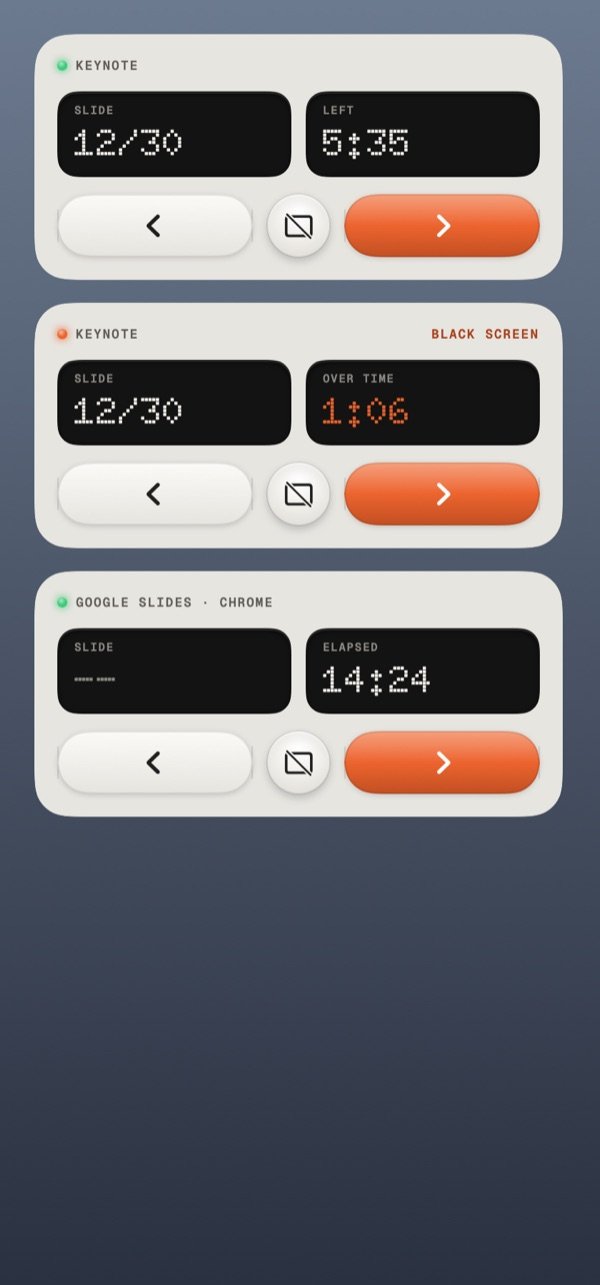
A Live Activity keeps the slide and the clock on your Lock Screen and in the Dynamic Island, with previous, next and black screen. If the venue Wi-Fi fails, Link carries on over mobile data.
- Live Activity and Dynamic Island
- Over Wi-Fi, a USB cable or Link
Set it up once.
Two apps, one code, about five minutes.
- 1
Install the Mac app
Thumbdial Agent is free, notarized by Apple, and lives in the menu bar.
- 2
Open your deck
Keynote, PowerPoint, Google Slides or a PDF. The first time, allow Thumbdial Agent to control Keynote or PowerPoint.
- 3
Tap Present
Set the length of your talk, then put the phone in your hand or open Thumbdial on your watch.
Questions, answered.
Which apps does it work with?
Keynote and PowerPoint get slide numbers, presenter notes and previews. Google Slides in Safari, Chrome, Arc, Edge or Brave, and PDFs in Preview, change slides with the arrow keys and show the elapsed time. The laser pointer works over anything on screen.
What’s free, and what’s Pro?
Next, previous, black screen and the elapsed timer are free. Notes, the next-slide preview, the laser pointer, haptic time cues, the Live Activity and the Apple Watch clicker come with Pro, or with a Day Pass for a single talk.
Do I need an Apple Watch?
No. The phone has everything, including the time cues as haptics while the app is open. The watch lets you keep the phone in your pocket.
What if the room’s Wi-Fi is bad?
Plug in a USB cable, or let Link carry the session over mobile data with Pro. Thumbdial switches routes without dropping the presentation.
Last slide. Over to you.
Next, previous and the timer are free. Notes, the laser and the Watch clicker come with Pro.
Keep exploring.
- iPhone → MacPortrait first, built for one thumb. A real trackpad, the Dial, a volume knob and your Mac’s screen in your pocket.
- iPad → MacThe live screen, big. Your keyboard case types straight on the Mac, or the iPad becomes its second display.
- Mac → MacRun the Mac mini in the studio from the MacBook on your lap, in a window, with its sound.
- From anywhereOn mobile data or hotel Wi-Fi, Link reaches your Mac at home. No account, no port forwarding.
- Second DisplayAn iPad, iPhone or Mac as an extra display, with Apple Pencil as a tablet.
- Dial, Decks and TasksA haptic jog wheel, decks of keys and your Mac’s jobs on the Dynamic Island.