
Thumbdial Agent for Mac
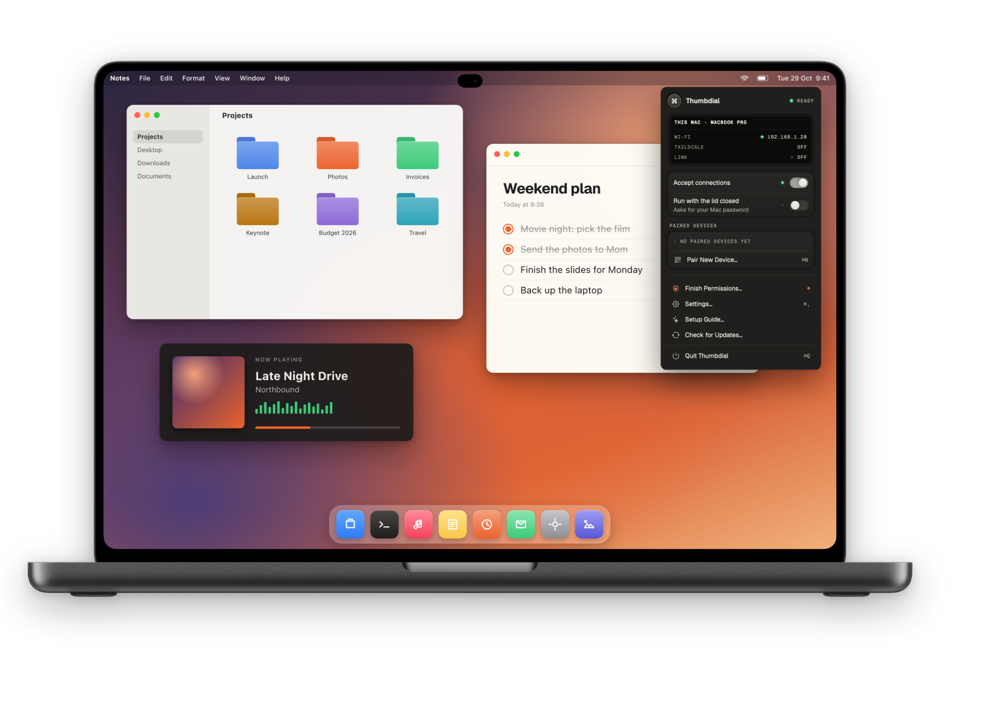
The free menu-bar companion that lets your iPhone, iPad, Apple Watch and other Macs control this Mac. Notarized by Apple, signed with a Developer ID.
Disk image (.dmg) · free · 12.6 MB
9e263bff13c41e6e7a3c6c806cbb92958d612aaff7b1dca5a87d4707ab6de057To verify, run shasum -a 256 ~/Downloads/Thumbdial-Agent.dmg in Terminal and compare.
Sharper screen preview on the free plan, Disconnect now ends the session at once (Privacy Curtain and lock act immediately), and keys can no longer stay held after a network switch.
Install in four steps
Open the disk image
Double-click Thumbdial-Agent.dmg and drag Thumbdial Agent into the Applications folder. It has to live there so it can restart itself after a crash.
Open Thumbdial Agent
It appears in the menu bar, not in the Dock. The first time, a short setup walks you through the permissions below.
Grant the permissions
Each one opens the right pane in System Settings. You can change them later in System Settings › Privacy & Security.
Pair your iPhone
In the Thumbdial app, tap Add Mac. Scan the QR code the Mac shows, or type its six-digit code, then click Allow on the Mac.
Requirements
- A Mac with Apple silicon (M1 or later). Intel Macs are not supported.
- macOS 26 or later.
- iPhone or iPad with iOS or iPadOS 26 or later and the Thumbdial app; Apple Watch with watchOS 26 for the watch app.
- Both on the same Wi-Fi (or a USB cable) for pairing. Pro adds Link and Tailscale for access from anywhere.
What each permission is for
Thumbdial Agent asks for nothing it doesn’t use. Without a permission, only the feature that needs it stops working.
Needed to work
-
Accessibility
RequiredMoves the pointer, clicks, scrolls and types the keys you press on your iPhone.
It also types your password at the lock screen when you use Unlock with Face ID, and holds the Mac’s keyboard and mouse while the Privacy Curtain is down.
System Settings › Privacy & Security › Accessibility
-
Local Network
RequiredLets your iPhone find this Mac on your Wi-Fi with Bonjour and connect to it directly, and lets this Mac wake another Mac for Remote Wake.
Asked by macOS on first launch
Asked only when a feature needs it
-
Screen & System Audio Recording
For screen and audioStreams the live screen and the Mac’s sound to your iPhone, and makes screenshots, clips and the second display.
Nothing is recorded or kept on the Mac unless you ask for it. The pad and keyboard work without it.
System Settings › Privacy & Security › Screen & System Audio Recording
-
Automation
OptionalSystem Events, to restart and shut down.
Keynote and PowerPoint, only while you present, for slide numbers, notes and previews. Safari, Chrome, Arc, Edge and Brave are only asked which site the front tab shows, for the browser media keys.
Asked the first time you use each app
-
Files and Folders
OptionalLets the Mac file browser list Desktop, Documents, Downloads, iCloud Drive and external disks, and lets Task Indicator watch downloads.
Files go only to your paired devices.
Asked the first time you open a folder
Updates
Thumbdial Agent checks this website once a day for a newer version and offers to install it. You can turn automatic checks off in its Settings.
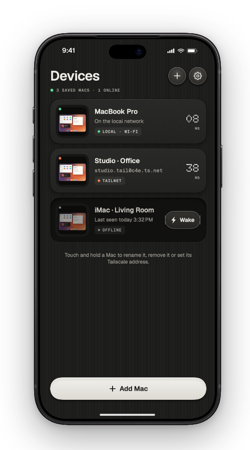
Then put Thumbdial on your iPhone.
For iPhone, iPad and Apple Watch. Free to start.

Stuck? See Support or write to support@alikemalakpinar.com.