
Dial · Decks · Tasks
Tools for people who make things.
A haptic jog wheel that knows which app you’re in, decks of keys for every shortcut you use, and your Mac’s long jobs on your Lock Screen. For editors, musicians, designers and developers.


One wheel. Every app.
The Dial becomes the right control for the app in front: frames in Final Cut Pro, Premiere Pro and DaVinci Resolve, the playhead in Logic Pro and Ableton Live, brush size and exposure in Photoshop and Lightroom, zoom in Figma. Twist the outer ring to shuttle; every step is a detent you feel.
- Auto follows the app in front
- Map any app to your own turns and presses

A profile for every app.
-
01
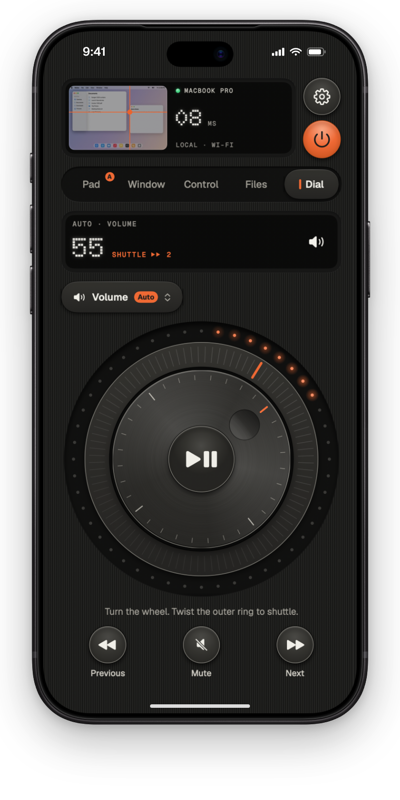
Turn it up, one click at a time.Free
In Volume mode each detent moves the Mac’s volume one step: 32 detents to a full turn. Scroll mode moves long pages the same way. Both are free.
-
02
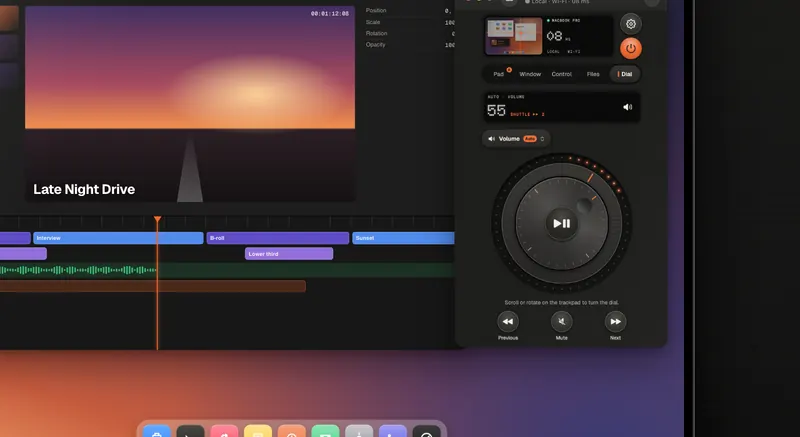
Frame by frame in Final Cut Pro.Pro
With Pro the Dial moves one frame per detent, 24 to a turn. Twist the knurled ring to shuttle; it springs back when you let go.
-
03
It knows which app you’re in.Pro
Auto switches the profile when you switch apps. Or map any app to your own turns and presses.
Profile What a detent does Plan Volume One volume step · 32 per turn Free Scroll One step down the page Free Final Cut Pro, Premiere Pro, DaVinci Resolve One frame · 24 per turn in Final Cut Pro Pro Logic Pro, Ableton Live Moves the playhead Pro Photoshop, Lightroom Brush size, exposure Pro Figma Zoom Pro Your own Your own turns and presses, for any app Pro

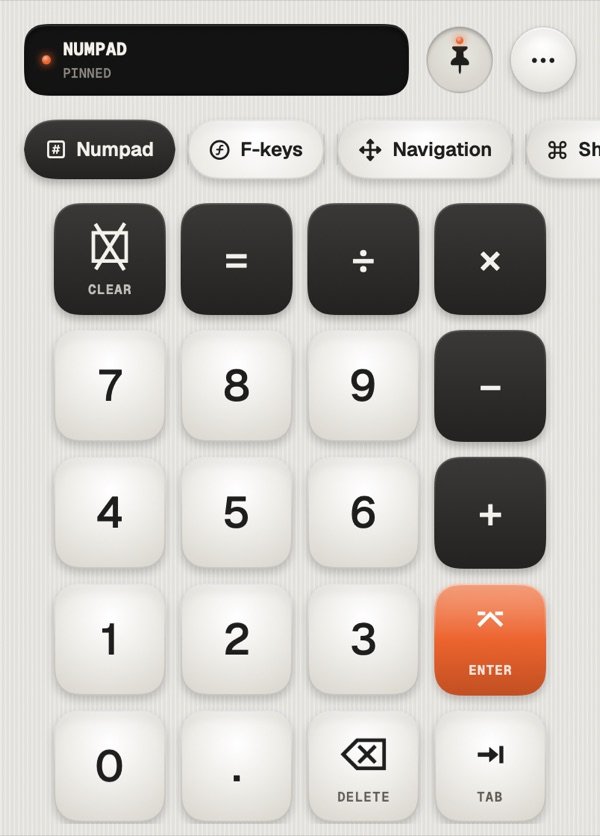
Every shortcut, one tap.
A numpad with real keypad codes, F1 to F19, navigation and media decks, and your own decks of shortcuts, text snippets, apps, links, menu items and multi-action keys. Pages turn with the app in front.
- Free: numpad, F-keys, navigation, one custom deck, five snippets
- Pro: unlimited decks and snippets, optional iCloud sync

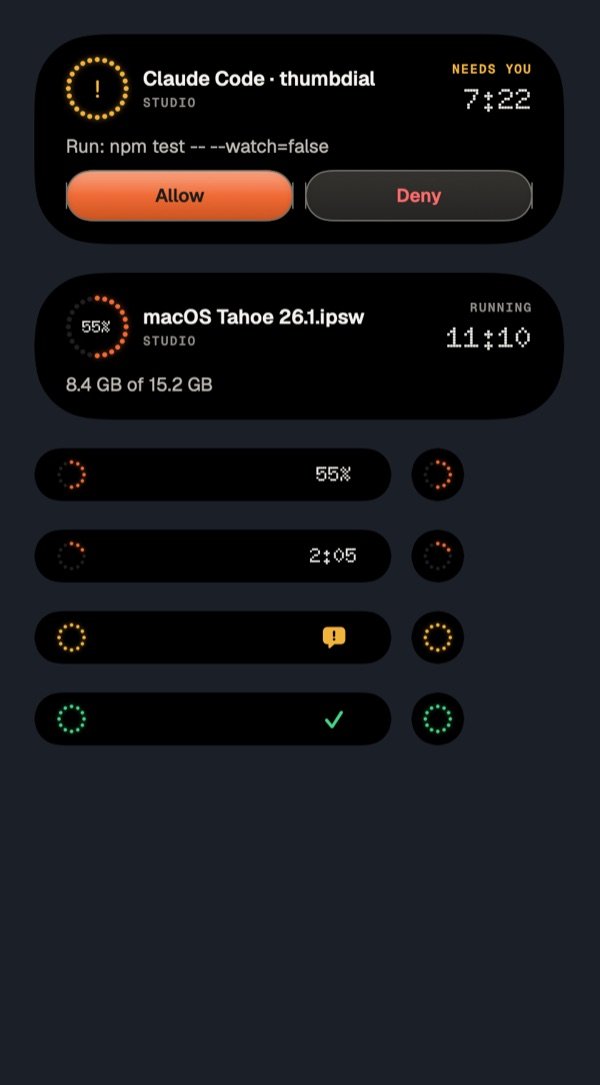
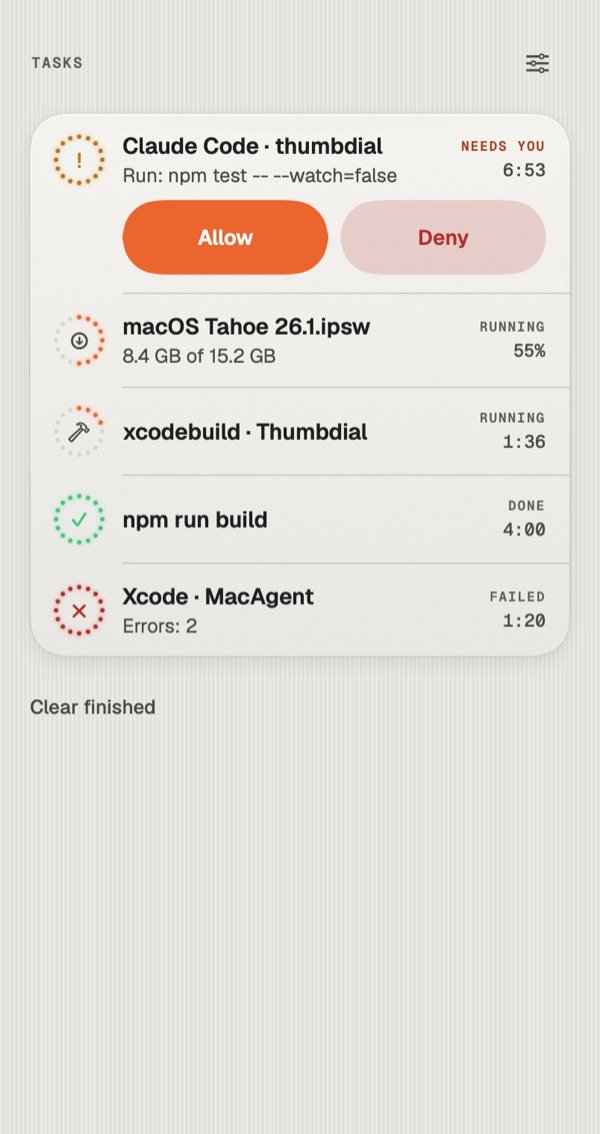
Your Mac’s jobs, in your pocket.
Wrap any command with thumbdial run, or let Thumbdial watch Xcode builds, downloads and Time Machine. Progress lives on your Lock Screen and in the Dynamic Island. When an AI coding agent asks for permission, Allow or Deny from your phone or your watch.
- Works with the app closed, from anywhere
- Names and questions end-to-end encrypted
Macros, Shortcuts and a launcher.
Run shell commands and watch the output live, run any Shortcut on your Mac, open apps, files and System Settings panes. Search any menu of the front app and trigger it with a tap.
- Mac Shortcuts, run and imported as keys
- Menu palette for every app

Set it up once.
Two apps, one code, about five minutes.
- 1
Install the Mac app
Thumbdial Agent is free, notarized by Apple, and lives in the menu bar.
- 2
Open the Dial or a deck
Pick Dial in the mode bar, or swipe to the decks beside the keyboard. Auto follows the app in front.
- 3
Turn on Task Indicator
In Thumbdial Agent’s settings, install the thumbdial command, then allow notifications on your iPhone.
Questions, answered.
Which apps have Dial profiles?
Final Cut Pro, Premiere Pro, DaVinci Resolve, Logic Pro, Ableton Live, Photoshop, Lightroom and Figma, plus everyday modes for volume, scroll, brightness, zoom, undo history and tabs. Volume and scroll are free; profiles and your own mappings come with Pro.
How do AI coding agents show up?
Thumbdial Agent includes a thumbdial command. Its settings copy a ready-made hook for Claude Code; any agent that can run a command can call thumbdial ask or notify. Thumbdial never changes your agent’s settings on its own. Unanswered questions fall back to the terminal.
Does Task Indicator work with the app closed?
Yes, with Pro. Updates arrive as push notifications through our Link relay. Names, questions and answers are encrypted end to end, so only your devices can read them. See the privacy policy.
What happens to my decks if Pro ends?
Nothing is deleted. Your decks, profiles, snippets and macros stay; the Pro-only ones are locked until you renew.
Make the wheel yours.
Volume and Scroll are free. Pro adds app profiles, unlimited decks and the Task Indicator.
Keep exploring.
- iPhone → MacPortrait first, built for one thumb. A real trackpad, the Dial, a volume knob and your Mac’s screen in your pocket.
- iPad → MacThe live screen, big. Your keyboard case types straight on the Mac, or the iPad becomes its second display.
- Mac → MacRun the Mac mini in the studio from the MacBook on your lap, in a window, with its sound.
- From anywhereOn mobile data or hotel Wi-Fi, Link reaches your Mac at home. No account, no port forwarding.
- Presentation PilotNotes, next slide, a laser for any app and time cues on your wrist.
- Second DisplayAn iPad, iPhone or Mac as an extra display, with Apple Pencil as a tablet.